
Upload your image
Choose a JPG, PNG, or WebP image that needs a platform-ready size.
1500 x 500 platform size
Upload an image and let AI extend the background to fit Twitter Banner at 1500 x 500. Keep the subject visible, avoid hard cropping, and export a platform-ready image.
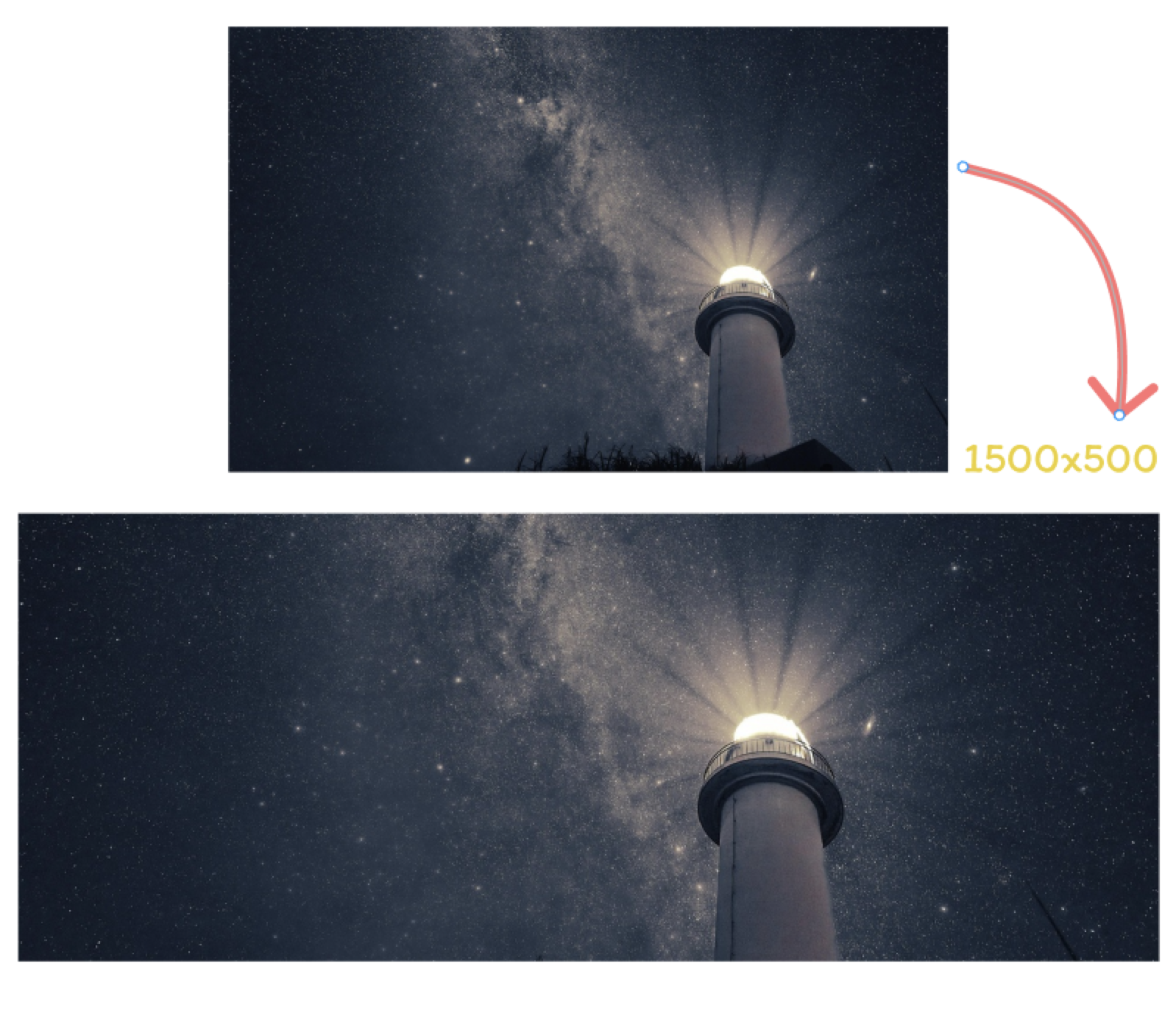
Turn crop, background extension, resize, and export work into one focused online workflow.
AI expands the canvas instead of cutting away faces, products, scenery, or artwork.
Use a clean output canvas around the common ratio and size required for publishing.
New areas follow the edge lighting, color, and texture of the original image.
Upload a photo, preview the extended composition, and download a ready-to-use asset.
Prepare profile visuals, covers, posts, and campaign assets without rebuilding every image by hand.
Create cleaner social profile visuals while keeping faces, products, and context in frame.
Extend one key visual into a platform-friendly canvas with room for headlines and overlays.
Resize photos, artwork, screenshots, and lifestyle images for recurring content.
Choose a JPG, PNG, or WebP image that needs a platform-ready size.
Let AI generate missing background around the original frame.
Review the extended image and save the final asset for publishing.
This page is built around a 1500 x 500 canvas with a 3:1 ratio.
Upload an image, extend the canvas with AI, and export a result for publishing.